Table of Contents >> Show >> Hide
- Before You Pick a Server Method: Two Fast Checks
- 1) Minecraft Realms (Fastest “Just Play” Option)
- 2) Rent a Managed Minecraft Server Host (Easy + Flexible)
- 3) Host the Official Java Server on Your Own Computer (Classic DIY)
- 4) Run a Bedrock Dedicated Server (Best for Cross-Platform Friends)
- 5) Use Paper (or Spigot) for a Faster Java Server + Plugins
- 6) Go Modded with Fabric/Forge (When Vanilla Isn’t Enough)
- 7) Host in the Cloud (VPS/EC2/Azure) for a True 24/7 World
- Conclusion + of Server-Building Street Smarts
Want a Minecraft world that doesn’t disappear the moment the host rage-quits (or “accidentally” closes the laptop)?
A real server is the difference between “brb, restarting my PC” and “log in whenever, the cows are still there.”
The good news: you’ve got optionsfrom “click two buttons” easy to “I have become the network administrator of my household” advanced.
This guide breaks down seven practical ways to make a Minecraft server for your friends and youcovering Java vs. Bedrock,
costs, setup difficulty, performance, and the little gotchas that usually show up at 1:00 AM when everyone’s already in Discord.
Before You Pick a Server Method: Two Fast Checks
1) Java Edition or Bedrock Edition?
- Java Edition is the classic PC version (Windows/macOS/Linux). It has the deepest modding and plugin ecosystem.
- Bedrock Edition is the cross-platform version (Windows, consoles, mobile). It’s great for mixed-device friend groups.
2) How “always on” does it need to be?
- Sometimes on (weekends, game nights): Realms, a hosted server, or a home server you start/stop.
- Always on (anyone can build anytime): hosting provider or a cloud/VPS server is your sanity’s best friend.
1) Minecraft Realms (Fastest “Just Play” Option)
If you want the shortest path from “idea” to “spawn point,” Minecraft Realms is the official subscription server.
You don’t worry about port forwarding, firewalls, or your ISP deciding you shouldn’t have hobbies.
Best for
- Small groups that want easy invites and minimal setup
- People who don’t want to expose a home IP address
- “I just want to build my house, not a networking career” vibes
How it works (in plain English)
You pay for a Realm, create a world, and invite friends from inside the game. That’s it. Your friends join through the Realms menu.
If you’re on Bedrock, you can also use share links depending on platform and settings.
Setup steps
- Open Minecraft and go to Realms.
- Create a Realm and pick a world (new world, template, or upload).
- Invite friends using usernames/gamertags or in-game invite tools.
- Set basic rules: difficulty, friendly fire, and whether you trust Steve with TNT.
Pros / cons
- Pros: dead simple, reliable, official, no router changes.
- Cons: ongoing cost; less flexibility than full server hosting (especially for heavy modding).
2) Rent a Managed Minecraft Server Host (Easy + Flexible)
A managed hosting provider is basically “Realms, but with more knobs.” You rent a server, pick your Minecraft version,
and control things like RAM allocation, world uploads, backups, plugins, and modpacks through a web panel.
Best for
- Friend groups that want 24/7 uptime without running hardware at home
- Players who want plugins, modpacks, custom worlds, or multiple server types
- Anyone who hears “port forwarding” and instantly develops a headache
What you actually do
- Choose a host and a server location close to your players (lower latency = happier builders).
- Select server software: Vanilla, Paper/Spigot, Fabric, Forge, etc.
- Upload a world (optional) and set your server.properties rules.
- Turn on backups. Future-you will thank you when someone discovers lava buckets.
What to watch for (so you don’t overpay)
- RAM isn’t everything. Minecraft servers like strong single-core performance and fast storage, too.
- Modpacks need more resources. If you go heavy on mods, budget extra RAM and expect more tweaking.
- Backups + support. Good hosts make restores easy and support responsive.
3) Host the Official Java Server on Your Own Computer (Classic DIY)
This is the “I have a decent PC and I fear nothing” approach. You download the official Minecraft: Java Edition server,
run it, accept the EULA, and let friends connect. It’s powerful, free (minus electricity), and wonderfully educationaloften against your will.
Best for
- Small friend groups that play on a schedule
- Players who want full control and don’t mind light troubleshooting
- Anyone comfortable editing basic config files
Minimum practical checklist
- Modern Java installed (newer Minecraft versions require newer Java runtimes)
- Enough RAM for your player count and play style
- A stable internet connection (upload speed matters more than you think)
- Willingness to learn two spells: “allow-list” and “backup”
Setup steps (simple version)
- Create a folder like MinecraftServer.
- Download the official server .jar into that folder.
- Run it once to generate files, then set eula=true in eula.txt.
- Run it again with a startup command and choose your RAM limits.
- Edit server.properties for rules (difficulty, view distance, PvP, allow-list).
A sane startup command
On Windows, you might use a run.bat; on macOS/Linux, a .sh script. Here’s the general idea:
-Xms is the starting memory, -Xmx is the max. Don’t give it literally all your RAM unless you enjoy
your computer turning into a space heater that also drops frames.
Getting friends in (local vs. public)
- Same house/Wi-Fi: friends usually connect using your local IP address.
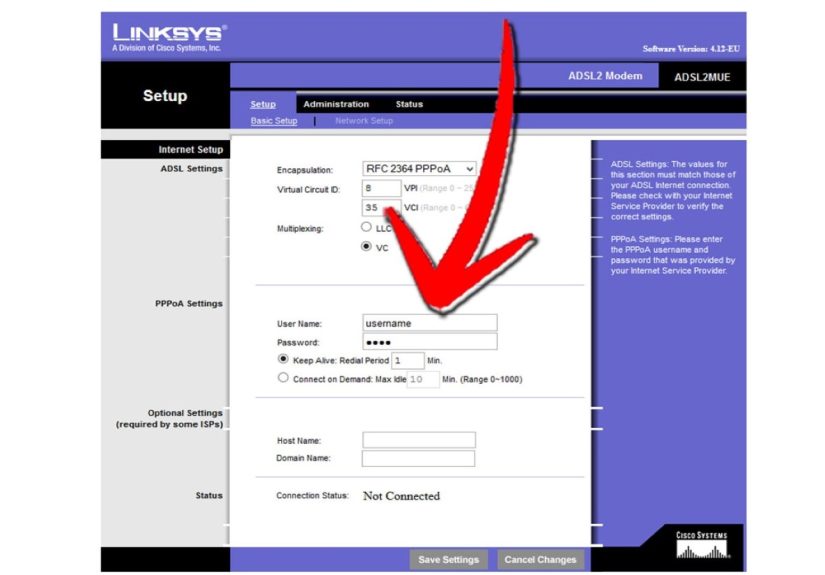
- Different locations: you’ll likely need port forwarding for TCP 25565 and a firewall rule.
Quick safety rules
- Turn on an allow-list so only your friends can join.
- Don’t hand out operator permissions like candy.
- Backup your world folder regularly (and before “let’s try a new mod”).
4) Run a Bedrock Dedicated Server (Best for Cross-Platform Friends)
If your group includes console players, mobile players, and that one friend on a tablet who somehow outbuilds everyone,
a Bedrock Dedicated Server can be the smoothest way to keep everyone together.
Best for
- Cross-platform groups (console/mobile/Windows)
- Families and friend groups that want easy access without mod chaos
- Players who prefer Bedrock gameplay and Marketplace ecosystems
Setup steps (big picture)
- Download the Bedrock dedicated server package for your OS.
- Start it once to generate folders and configs.
- Tweak settings (game mode, difficulty, permissions) in the server config files.
- Set up network access: local play works easily; public access may require port and firewall configuration.
Bedrock server management feels different from Java (different config files, different tooling). But once it’s running,
it’s a solid “always-on world” for mixed devices.
5) Use Paper (or Spigot) for a Faster Java Server + Plugins
If your “vanilla server” starts chugging the moment someone builds an iron farm the size of a small nation,
it’s time to meet Paper (and its relatives like Spigot). These server types aim to improve performance and unlock
a huge plugin ecosystemthink claims, homes/warps, economy, anti-grief tools, and quality-of-life features.
Best for
- Java servers that want better performance than vanilla
- Groups that want plugins (without requiring everyone to install mods)
- Admins who want moderation tools and smoother gameplay
What changes from vanilla?
- You run a different server .jar (Paper/Spigot instead of the official vanilla jar).
- You can drop plugins into a /plugins folder.
- You’ll have more settings to tune for performance and gameplay rules.
Simple Paper setup
- Download the Paper server jar for your Minecraft version.
- Run it once, accept the EULA, then run again with your RAM settings.
- Add plugins carefully (one at a time), and keep them updated.
Tip: Paper typically expects a modern Java runtime for modern Minecraft versions. If the server won’t start,
check your Java version before you start bargaining with the universe.
6) Go Modded with Fabric/Forge (When Vanilla Isn’t Enough)
Mods turn Minecraft into a totally different game: new biomes, machines, magic systems, performance tools, and entire tech trees that
make you forget what sunlight looks like. A modded Minecraft server is amazingjust remember the prime directive:
clients must match the server’s mod setup.
Best for
- Friends who want curated modpacks and custom progression
- Groups comfortable troubleshooting mod conflicts
- Players who like performance mods and quality-of-life upgrades
How modded servers usually work
- Pick a loader: Fabric (lightweight, popular for performance/QoL) or Forge (huge mod ecosystem).
- Install the server loader and ensure the Minecraft version matches everyone’s client.
- Add mods to the server’s /mods folder (and make sure players install the same set).
- If using a modpack, use its server pack or official server files when available to save time.
Common modded-server faceplants (and how to avoid them)
- Version mismatch: one person updates the pack and the server stays behind. Result: instant chaos.
- Missing dependencies: some mods require libraries/APIs. Read the mod page notes.
- Not enough RAM: big packs eat memory. If it stutters, don’t blame the cows first.
7) Host in the Cloud (VPS/EC2/Azure) for a True 24/7 World
If you want a server that’s online even when your home internet hiccupsor you don’t want to share your home connection at allmove the server to the cloud.
This can be anything from a simple VPS (DigitalOcean/Linode) to bigger platforms (AWS/Azure).
Best for
- Groups that want always-on uptime
- Anyone with strict NAT/ISP issues that make home hosting painful
- Players who want control without running hardware at home
VPS cloud hosting (simple and popular)
A VPS is basically “your own little Linux box on the internet.” You install Java, download the server jar, open the firewall, and run it.
Many VPS providers also offer one-click marketplace deployments.
Big cloud hosting (AWS/Azure) in one paragraph
You spin up a virtual machine, open the Minecraft port in the platform’s firewall/security group rules, and manage it like any other server.
The upside is control, stability, and scalability. The downside is you’re now responsible for updates, backups, and not accidentally leaving
something wide open to the internet.
Bonus: “I can’t port forward” escape hatch
If your router setup is locked down (or your ISP uses CGNAT), consider a reputable tunneling/proxy solution designed for game servers.
This can let friends connect without you opening inbound ports. It’s not magicthere are tradeoffsbut it’s a legit workaround when port forwarding
simply isn’t possible.
Conclusion + of Server-Building Street Smarts
The best way to make a Minecraft server for your friends and you depends on what you value most:
simplicity (Realms), customization (hosting providers, Paper, mods), or 24/7 reliability (cloud hosting).
Pick the path that matches your group’s patience level, not just your ambition level.
Field notes: the stuff people only learn after the third restart
Here’s the part nobody puts on the glossy “Setup in 5 minutes!” pages: running a Minecraft server is less like installing an app and more like adopting a pet.
It’s fun, it’s rewarding, and it will absolutely wake you up in the middle of the night because something is making a weird noise.
First lesson: your “server computer” does not need a superhero GPU. Minecraft servers care far more about CPU performance, disk speed,
and having enough RAM to keep chunks and entity updates smooth. You can host on a gaming PC, an older desktop, or a modest cloud instanceand it’ll feel great
for a handful of friends. The moment it stops feeling great, don’t panic-buy new hardware; check the basics: view distance, mob farms, ticking entities,
and whether someone built a redstone machine that is technically a lag generator with a house aesthetic.
Second lesson: the allow-list is your bouncer. Use it. Even if your server is “private,” public IPs get scanned constantly.
Most strangers won’t get in, but you don’t want to be the person who learns that the hard way because your spawn is now a crater and your friend group
is accusing each other like it’s a reality TV show. Alongside the allow-list, keep operator permissions limited. “Everybody gets OP” sounds friendly
until someone discovers command blocks or decides the economy plugin needs “testing.”
Third lesson: backups aren’t optionalthey’re time travel. The number of disasters that vanish with a clean restore is impressive:
corrupt worlds after a crash, griefing, “oops I deleted the world folder,” or the classic “we updated mods and now the server won’t start.”
Automate backups if you can, and keep at least one off-machine copy if it’s a world you truly care about. If you only remember one admin habit, make it this one.
Fourth lesson: networking is either easy or a boss fight. When friends can’t connect, people blame Minecraft first, but it’s often:
wrong public IP, router port not forwarded to the correct local IP, firewall not allowing Java, or your ISP using CGNAT. A good troubleshooting routine saves
friendships: confirm the server is running locally, confirm local connections work, then test external connectivity. If port forwarding is impossible,
consider a reputable tunnel/proxy route or move the server to a hosting provider/cloud VPS where you control the firewall rules.
Fifth lesson: updates are a group project. If you go modded, agree on a “server update day” and treat version changes like a mini event.
Update the server, test it, then tell everyone to update clients. This one simple habit prevents the endless loop of “It says incompatible” messages and
the inevitable accusation that someone “updated without telling anyone.” (It was Steve. It’s always Steve.)
Finally: don’t chase perfection on day one. Start with a stable baselinevanilla, Realms, or a managed hostthen layer in plugins, performance tweaks, or mods
as your group’s needs evolve. The best Minecraft server isn’t the most complicated one; it’s the one your friends can reliably join without turning the night
into Tech Support: The Musical.