Table of Contents >> Show >> Hide
- Why the ESP8266 Is a Perfect Tiny “Modem” for BBSing
- Three Ways to BBS With an ESP8266
- Hardware You Need (and the Stuff That Saves Your Weekend)
- Firmware Choices: Pick Your Adventure
- Actually Calling a BBS (Without Making Your Router Cry)
- Troubleshooting: When the Screen Is Blank and Your Confidence Is Also Blank
- Bonus Round: Hosting a Tiny BBS on the ESP8266
- Conclusion: Your New Favorite “Phone Line” Is WiFi
- Field Notes: of Real-World ESP8266 BBSing Experience
If you miss the sweet chaos of ANSI art, sysop drama, and the thrill of “press any key to continue,” good news:
you don’t need a landline, a beige external modem, or a phone cord long enough to clothesline your entire neighborhood.
You just need an ESP8266a WiFi chip so small it looks like it fell off a cereal boxand a little
retro determination.
In this guide, we’ll turn the ESP8266 into your modern “dial-up” sidekick for Telnet BBS life:
the hardware you actually need (and what you’ll regret skipping), the firmware paths you can take, the commands that
make your terminal software feel young again, and the common gotchas that make you stare at a blank screen like it
personally insulted your family.
Why the ESP8266 Is a Perfect Tiny “Modem” for BBSing
The ESP8266 hits a weirdly perfect intersection: it’s cheap, widely supported, and comfortable living in the world of
serial datathe same world your classic machine or terminal program already understands. It speaks WiFi on one side
and UART serial on the other, which makes it ideal for pretending to be a modem even though it’s really just
networking in a trench coat.
What it’s great at
- Serial in, internet out: Your computer talks bytes over serial; the ESP8266 carries them over TCP/IP.
- Modem cosplay: With the right firmware, it understands Hayes-style AT commands like a champ.
- Retro-friendly: Works with old-school baud rates and terminal programs that still think 8-N-1 is edgy.
- Portable BBSing: Stick it in a project box and you’ve got a pocket “modem” that dials BBSes anywhere with WiFi.
Three Ways to BBS With an ESP8266
There’s no single “right” approachjust three popular paths depending on whether you want maximum authenticity,
minimum effort, or maximum tinkering.
1) Use AT-command firmware (the “networking lab” approach)
Some ESP8266 modules ship with AT firmware that lets you join WiFi and open TCP connections using commands.
This is the most “raw” method: you’ll be manually creating a TCP connection to a BBS host and port, then shuttling
bytes back and forth.
It’s powerful, but it can feel less like “dialing a BBS” and more like “interviewing TCP sockets for a job.”
Also: Telnet negotiation can get in your way if the firmware doesn’t handle it gracefully (more on that soon).
2) Flash modem-emulation firmware like Zimodem (the “just let me dial” approach)
If you want your terminal software to behave like it’s talking to a classic modem, this is the fun route.
Zimodem makes the ESP8266 present itself as a Hayes-compatible modem: you type familiar commands
like ATDT to “dial” a hostname (and optional port), and it handles WiFi + TCP/Telnet details behind the scenes.
This is the closest thing to authentic BBSing without also owning a rotary phone and a box of floppies you refuse to throw away.
3) Use a WiFi-to-serial bridge like esp-link (the “build your own vibe” approach)
Firmware such as esp-link turns the ESP8266 into a transparent serial-to-WiFi bridge. Think of it like a
wireless serial cable. For BBSing, it’s handy if you want to expose a serial device over the networkor if your setup
includes microcontrollers, routers, or remote access tricks.
It’s not always the most direct “dial a BBS” experience, but it’s fantastic if your project is bigger than “I just want to read message boards at 2 a.m.”
Hardware You Need (and the Stuff That Saves Your Weekend)
Power: the ESP8266 is tiny, not delicateuntil it is
The ESP8266 runs on 3.3V logic, and stable power matters more than people expect.
WiFi radios pull current in bursts; a weak regulator or underpowered adapter can cause random resets, flaky connections,
or the classic symptom: “It worked once, then never again, and now I’m questioning reality.”
- Use a solid 3.3V regulator (or a dev board that already includes one).
- Add decoupling (a capacitor near the module) if you’re building on perfboard or breadboard.
- Don’t assume every 3.3V pin is equal: some older boards can’t supply enough current for WiFi peaks.
Logic levels: TTL vs RS-232 (a tale of two serial worlds)
Here’s the trap: many vintage machines speak RS-232 (higher voltage swing, inverted signaling),
while the ESP8266 speaks TTL serial (3.3V logic). If you connect these directly, best case you get garbage;
worst case you get smokeand not the cool “dial-up sound” kind.
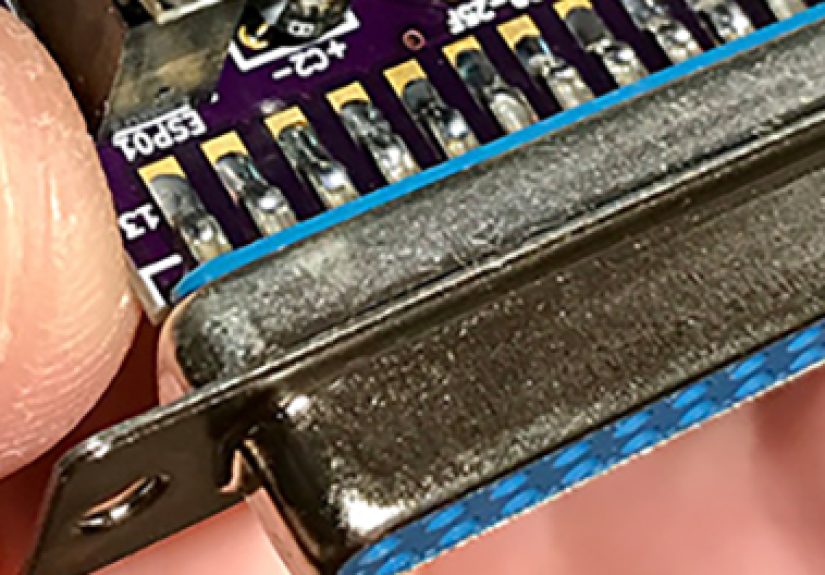
If your computer has a DB9/DB25 serial port: use a level-shifting adapter like a MAX3232-based board between RS-232 and TTL.
If you’re using a USB-to-serial adapter: make sure it can do 3.3V logic (or use a proper level shifter).
A simple wiring checklist
- ESP8266 TX → Adapter RX
- ESP8266 RX ← Adapter TX
- GND ↔ GND (do not skip ground; the universe will punish you)
- 3.3V power with enough current headroom
- Optional but helpful: hardware flow control (RTS/CTS) if your setup supports it and you move lots of data
Firmware Choices: Pick Your Adventure
Option A: Stock-style AT commands (hands-on TCP control)
If you’re using AT firmware, the basic flow is:
join WiFi → open a TCP connection → send/receive data.
Two reality checks:
-
Telnet isn’t just raw TCP. Some BBSes expect Telnet option negotiation; a “raw” TCP stream might produce
odd characters or weird behavior. Many modern retro-friendly setups offer alternate ports that are “telnet” or “raw” explicitly. - Line endings matter. Some systems want CR, some want CR+LF. Your terminal program settings can make or break your first login.
Option B: Zimodem (Hayes commands, BBS vibes)
Zimodem turns the ESP8266 into a modem emulator, so your terminal software can do what it already knows:
AT commands, dialing, and connectingexcept now “dialing” means opening a TCP/Telnet session.
Once connected, it feels like classic BBSing: your comm program thinks it has a modem, you get a connect banner,
and suddenly you’re reading message bases like it’s 1993minus the long-distance phone bill.
Option C: esp-link (transparent bridge)
esp-link is fantastic when you want a general-purpose WiFi-to-serial bridge. For BBSing specifically, it’s often used as
part of larger setups: remote serial access, wireless terminal routing, or bridging a serial device into your network so
something else can “dial out.”
If you love building systems that have systems inside them (like those nesting dolls, but with more LEDs), esp-link is your jam.
Actually Calling a BBS (Without Making Your Router Cry)
Most Telnet BBSes are reachable by hostname and port. Port 23 is common, but many systems also offer other ports
(sometimes to separate raw TCP from Telnet, or to run multiple nodes).
Finding BBSes that are friendly to modern connections
Look for Telnet-accessible listings, communities, and guides that publish hostnames and ports. The scene is alive:
boards for ANSI art, message networks, door games, file archives, and the occasional sysop who still thinks “under construction” GIFs are a lifestyle.
Terminal settings that keep ANSI art from turning into soup
- Speed (baud): Start with 9600 or 19200 on vintage hardware, then climb if it’s stable.
- Data format: 8-N-1 is the usual default.
- Emulation: ANSI is typically the goal; some classic platforms use PETSCII/ATASCII or special modes.
- Flow control: If you can, hardware (RTS/CTS) helps with fast scrolling and downloads.
- Local echo: Usually off; if you see double characters, fix echo first before blaming the universe.
Troubleshooting: When the Screen Is Blank and Your Confidence Is Also Blank
Problem: “Nothing happens”
- Check TX/RX are crossed (TX→RX, RX←TX).
- Verify baud rate matches your firmware and terminal settings.
- Confirm ground is shared; no ground = no meaningful serial communication.
- Power stability: random resets can look like “nothing happens,” especially if it reboots mid-connect.
Problem: “Gibberish characters”
- Wrong baud rate is the #1 cause.
- Wrong logic level (RS-232 direct to TTL) produces garbage and sadness.
- Telnet negotiation bytes can look like nonsense if you’re on raw TCP firmware and the BBS expects Telnet.
Problem: “Connects, then drops”
- WiFi signal quality: ESP8266 modules can be picky with weak signals.
- Router security mode: extremely old firmware may struggle with certain modern setups; modem-emulator firmware often simplifies the experience.
- Keep-alive / idle timeouts: some networks drop quiet connections; sending occasional traffic or using firmware with keep-alives can help.
Bonus Round: Hosting a Tiny BBS on the ESP8266
Here’s where the ESP8266 stops being a “modem” and starts being a tiny server. You can run a lightweight Telnet server
on the ESP8266 and serve up a minimal BBS-like experiencemenus, messages, maybe a handful of usersespecially on a local network.
When it makes sense
- Art projects: a BBS hidden in a sculpture, a payphone magnet, or a retro-themed installation.
- LAN parties: a local “message board” for jokes, coordination, or nostalgia.
- Learning: it’s a great excuse to understand sockets, sessions, and terminal I/O without deploying a full server.
The ESP8266 isn’t a datacenter, but it’s surprisingly capable for small interactive services. If your goal is charm,
not throughput, it’s perfect. Plus, a “BBS that fits on a keychain” is objectively funny in the best way.
Conclusion: Your New Favorite “Phone Line” Is WiFi
BBSing with an ESP8266 is one of those projects that feels like time travel with better snacks. Whether you use stock AT commands,
flash a modem emulator like Zimodem, or go full tinkerer with a bridge firmware, the end result is the same:
your classic setup gets a modern on-ramp to the BBS worldwithout needing a landline, a rack of modems, or a sysop willing to answer
“why does your caller ID say ‘unknown’?” at midnight.
Start simple: stable 3.3V power, correct level shifting, and a firmware approach that matches your patience level.
Once you see that first BBS login banner appear, you’ll remember why we ever put up with busy signals in the first place.
(Okay, maybe we won’t miss busy signals. But we’ll miss everything else.)
Field Notes: of Real-World ESP8266 BBSing Experience
The first time I tried “BBSing with the ESP8266,” I did what every confident hobbyist does: I underestimated power requirements,
assumed my wiring was correct because it looked correct, and declared victory after seeing a single “OK” response. Two minutes later,
the module rebooted mid-connection, my terminal froze, and I learned a timeless truth: WiFi radios don’t care about your optimism.
My biggest lesson was that stable 3.3V power is the difference between magic and misery. On a breadboard, an ESP8266 can feel
like a cat: it will tolerate your setup until it suddenly decides it won’t. A beefy regulator and a capacitor near the module turned my
“random disconnect simulator” into something that could actually stay connected long enough to read a message base without spontaneously
reincarnating.
Next came the “serial is serial” fallacy. If you’re connecting to a truly retro machine with a DB9/DB25 serial port, you need to respect
the fact that RS-232 is not TTL. The day I stopped trying to brute-force it and dropped in a MAX3232 adapter is the day the
gibberish stopped and the ANSI art stopped looking like it was generated by a haunted fax machine. The wiring also taught me humility:
crossing TX and RX feels obvious right up until you do it wrong three times in a row and start blaming the moon’s gravitational field.
Then there’s the Telnet vs raw TCP surprise. Some BBSes are perfectly happy with a plain TCP stream; others do Telnet negotiation
and will happily toss option bytes into your session like confetti. If your firmware isn’t handling that, you’ll see weird characters or
the session will behave oddly. The fix wasn’t complicatedeither pick a BBS port that’s known to be “raw,” or use modem-emulation firmware
that understands the typical Telnet dance. Once I did that, connections felt clean and predictable.
Downloads were another reality check. Scrolling text is one thing; pushing files is another. If your terminal software and adapter support
hardware flow control, use it. Without it, fast bursts of data can overwhelm buffers and turn a file transfer into modern art.
If you’re stuck without RTS/CTS, dropping the baud rate can actually improve reliabilitycounterintuitive, but true in the same way driving
slower in a snowstorm is faster than spinning out.
The best moment wasn’t technical at all: it was the first time I “dialed” a hostname with ATDT, saw a connect banner, and realized
the whole ritual still workseven if the “phone line” is WiFi. It’s the same vibe, updated: less squeal, more uptime, and still the same
community energy when someone replies to your post with a perfectly timed ASCII shrug.