Table of Contents >> Show >> Hide
If you think virtual reality is only for people strapped into giant headsets, dodging imaginary zombies in their living room, your iPhone is about to prove you wrong. Modern VR apps for iPhone can turn that little slab of glass into a mini portal: one minute you’re on the couch, the next you’re on a roller coaster, deep under the ocean, or chilling in a peaceful Zen village while playing cards.
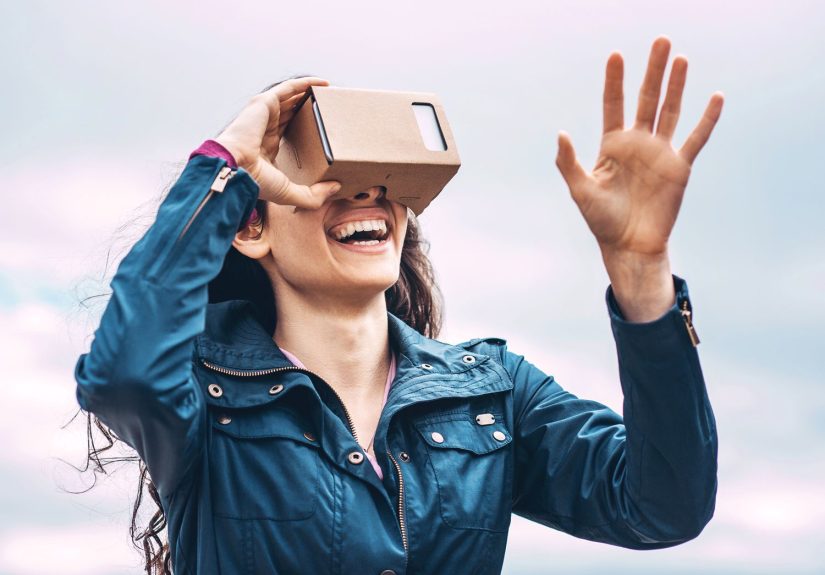
While mobile VR can’t yet match the power of dedicated headsets, it’s surprisingly good for trying out virtual worlds, watching 360° videos, or sneaking in a quick VR game on the go. Whether you’re using a cheap cardboard-style viewer, a plastic iPhone VR headset, or just your phone in your hand, there are plenty of virtual reality apps on iOS worth installing.
Below, we’ll walk through some of the best VR apps for iPhone, what makes each one fun or useful, and how to get the best possible experience from mobile VR without making your stomach regret life choices.
What You Need to Turn Your iPhone Into a VR Portal
Before you start downloading VR apps like there’s no tomorrow, it helps to understand what “VR on iPhone” actually means. There are three main types of experiences you’ll see in the App Store:
- Full 360° and VR video players: These apps let you watch VR180 or VR360 videos by moving your phone around or by slotting it into a headset.
- Gyro-powered “pseudo VR” games and apps: You hold your phone and move it like a window into a virtual world. It feels VR-ish, even without a headset.
- Companion-style VR viewers: Apps that focus on immersive media and may optionally work with iPhone VR headsets or cardboard viewers.
To really lean into virtual reality, you’ll want:
- An iPhone with a gyroscope and recent iOS version (most modern iPhones are fine).
- A simple VR headset or viewer if you want to go truly hands-free. It can be a basic cardboard viewer or a more comfortable plastic headset that fits your iPhone.
- Good headphones or earbuds for immersive sound, which matters more than most people realize.
You can, however, try almost all of the apps below just by holding your phone and moving it around. That’s great for testing the waters before you buy any accessories.
Great VR Apps for iPhone You Should Try
1. YouTube (for 360° & VR Videos)
Not an obvious “VR app,” but it’s quietly one of the best VR apps for iPhone. The standard YouTube app supports 360° and VR-style videos. Search for terms like “VR 360,” “VR roller coaster,” or “VR 180 3D,” and you’ll find a huge library of experiences, from travel walks to wild theme park rides.
Look for the special viewing options: many 360° videos let you pan simply by moving your phone around. With a compatible headset or cardboard viewer, you can switch into a split-view mode that turns the video into a basic VR experience.
Best for: Sampling VR content for free, travel videos, roller coaster POVs, documentaries, and music performances.
2. Rec Room
Rec Room is a social playground where you can customize an avatar, join public rooms, and play mini-games like paintball, quests, and obstacle courses. On dedicated VR headsets it’s full room-scale VR; on iPhone, you still get 3D graphics, cross-play with other platforms, and the feeling of hanging out in shared virtual spaces.
Is it “true” headset VR on iPhone? Not exactly. But the way you move and look around using on-screen controls and motion gives a VR-like vibe, and it’s one of the best ways to experience the social side of virtual reality without buying a bulky headset.
Best for: Teens and adults who want a social VR experience, mini-games, and cross-platform play.
3. Roller Coaster VR Theme Park
If you love that stomach-dropping feeling (but don’t love the ticket prices of real theme parks), Roller Coaster VR Theme Park is a fun pick. It offers dozens of virtual rides: classic roller coasters, futuristic tracks, spooky experiences, and more. Many rides work in both normal and VR modes, so you can try them handheld first, then slot your iPhone into a headset when you feel brave.
While the graphics are not console-level, the sense of motion plus 360° views make it surprisingly intense. It’s also a great “show-off” app to hand to friends when they ask, “So what does VR on iPhone even look like?”
Best for: Quick thrills, party demos, and anyone who wants a theme park in their pocket.
4. Solitaire Zen
Solitaire Zen takes the world’s most classic card game and drops it into a calm virtual village. Instead of staring at a boring green table, you’re surrounded by tranquil scenery, ambient sounds, and gentle animations. The idea is less “adrenaline VR” and more “I want to relax but also feel like I’ve stepped into another place.”
While it doesn’t require a headset, the immersive environment plus simple, familiar gameplay makes it a great option when you want a low-stress VR experience. Think of it as a digital stress ball with cards.
Best for: Relaxation, casual gaming, and people who want VR without motion sickness.
5. VR Player: 3D VR 360 VR Video
VR Player (3D VR 360 VR Video) is a dedicated virtual reality media player for iPhone. It supports 2D, 3D, and 360° videos, including VR180 and VR360 footage. You can load videos from your phone storage or cloud services and then view them in a variety of projection modes that wrap the video around you.
The app’s strength is flexibility. You can tweak the view, select different VR layouts, and pair it with virtually any iPhone VR headset or viewer. If you download a lot of VR videos from the web, this is one of the best iOS VR players to handle them.
Best for: Power users who collect VR videos, people who want fine control over how their 360° content is displayed.
6. 360° VR Player
360° VR Player is a simpler VR player focused just on, you guessed it, 360° videos. You transfer VR clips from your Mac or PC, or via iCloud Drive, and then watch them in the app. It’s not flashy, but it does the core job of letting you look around inside spherical videos by moving your iPhone or by using a headset.
The interface leans toward utility over style, which is actually a plus if you mainly care about playback reliability and basic controls instead of fancy virtual theaters and avatars.
Best for: Users who want a no-frills 360° player for personal or downloaded VR content.
7. Mobile VR Station
Mobile VR Station is a long-running VR media player that supports photos, panoramas, 2D movies, and 3D side-by-side or over-under videos. It uses head tracking to let you look around and can project your content onto a virtual screen floating in space.
It’s especially handy if you’re into 3D or VR content you’ve created yourself or downloaded from various sources. While the interface feels more “tool” than “toy,” its feature set is strong for people who treat their iPhone as a pocket media center.
Best for: Advanced users who want a flexible, customizable VR media player with support for multiple formats.
8. VR Video Viewer – 360Player
VR Video Viewer (360Player) is another straightforward option for watching 360° videos on iPhone. It focuses on clean playback and basic controls instead of a lot of bells and whistles. For people who just want to put on a headset, pick a video, and be done, that simplicity can be a blessing.
This app is particularly good if you’re testing mobile VR with family and friends and don’t want them to get lost in complicated menus.
Best for: Simple VR viewing for friends, kids, or anyone who gets overwhelmed by cluttered interfaces.
9. PLAY’A VR Video Player
PLAY’A started on dedicated headsets but also works with smartphones, including iOS. Its mission is to be a powerful, yet easy-to-use VR player for almost any kind of content, including streaming. You can adjust scale, color, and quality, and choose from different environments to watch your videos.
If you’re the type who tweaks your video settings until everything looks just right, PLAY’A is a good match. It’s also a nice upgrade once you outgrow simpler VR video apps and want more control.
Best for: Enthusiasts who want a polished, feature-rich VR video experience on iPhone.
How to Choose the Right VR Apps for Your iPhone
With so many VR apps for iPhone, it helps to think about what kind of experiences you actually want. Ask yourself:
- Do you want passive or active VR? If you mainly want to sit back and watch content, focus on VR players like VR Player, 360° VR Player, Mobile VR Station, or PLAY’A. If you want to play or explore, look at Rec Room, Roller Coaster VR Theme Park, or other gyro-based games.
- Do you have (or want) a headset? Some apps feel fine handheld (like Solitaire Zen). Others really come alive when your iPhone is slotted into a viewer, so you’re hands-free and fully immersed.
- What’s your motion sickness tolerance? Fast rides and first-person movement can be rough for some people. If you’re sensitive, start with calmer apps like Solitaire Zen or static 360° videos where the camera doesn’t move.
- Do you care about local files or streaming? If you have a library of downloaded VR content, prioritize apps with good file support and flexible playback. If you mostly stream, YouTube and various VR players with online support will be your best friends.
Tips for a Better VR Experience on iPhone
Once you’ve gathered your favorite VR apps for iPhone, a few practical tweaks can make the difference between “wow” and “why is everything blurry?”
- Adjust the focus and alignment in your headset. If your viewer has a focus wheel or lens spacing adjustment, take a minute to tune it so text looks sharp. If you wear glasses, look for a headset designed to fit over them.
- Keep your iPhone charged and cool. VR can be demanding, especially with high-brightness displays and long sessions. A brief break every 15–20 minutes gives your phone (and your eyes) a rest.
- Use good headphones. Immersive audio is half the VR experience. Even basic wired earbuds or wireless earbuds can improve immersion dramatically.
- Start with short sessions. If you’re new to VR, don’t marathon your first day. Five to ten minutes at a time lets your brain adapt to the sensation of being “inside” the content.
- Choose stable, well-rated apps. When you’re already slightly disoriented from VR visuals, the last thing you need is glitchy performance. Reading reviews and ratings in the App Store helps you avoid the worst offenders.
Real-World Experiences With iPhone VR Apps
So what does living with these VR apps for iPhone actually feel like? Here are some realistic scenarios that show how people use them in everyday life.
The five-minute vacation break. Imagine you’ve been staring at spreadsheets all day. Your brain feels like overcooked pasta. You pull out your iPhone, open YouTube or a VR video player, and load up a 360° beach walk in Hawaii. You pop your phone into a simple headset, and suddenly the fluorescent lights and office noise fade into the background. You see waves, palm trees, and sunset colors wrapping around you. Ten minutes later, you’re not “on vacation,” but you do feel less like emailing your resignation letter to everyone.
Family night with virtual roller coasters. You’re hosting friends or family, and you want to show them something fun that isn’t just another movie. Enter Roller Coaster VR Theme Park. You connect the iPhone to a TV via screen mirroring so everyone can see what the rider is seeing. Then you take turns: each person gets the headset and picks a new ride. Everyone else watches their reactions, laughs at the sudden yelps, and argues over who looked the most terrified. The rides are short, so nobody has to commit to a long session.
The calm corner of your day. Maybe you’re anxious or overstimulated, and you want something gentler. You open Solitaire Zen or a similar relaxed VR app. Instead of loud effects and explosions, you get soft ambient music and gentle visuals. You sit up in bed, set a 15-minute timer, and play a few rounds. There’s something oddly soothing about being in a virtual village that asks absolutely nothing from you except to match cards. When you’re done, you feel just a bit more grounded.
The “cinema in your backpack” experience. You’re traveling, stuck in a hotel room that looks like every other hotel room on Earth. You’ve already scrolled through every streaming service twice. You pull out your iPhone, open a VR player like VR Player or Mobile VR Station, and load a movie you downloaded earlier. Inside the app, the movie appears on a huge virtual screen in a dark theater. You put on headphones, lie back, and let the outside world shrink to nothing. It’s still just you and your phone, but it feels like you took yourself out to the movies.
Trying VR without committing to a headset. A lot of people are curious about VR but don’t want to drop serious money on a dedicated device. That’s where iPhone VR apps shine. You can dabble: a roller coaster here, a 360° travel video there, a social session in Rec Room, or a peaceful night with a card game. You get a feel for what you enjoy (and what makes you dizzy), so if you later buy a full VR headset, you already know the types of experiences you’ll actually use.
In all of these situations, the key is that VR on iPhone is accessible. You don’t need a big budget or a dedicated gaming room. You just need a phone you already own, a couple of carefully chosen apps, and maybe a cheap headset. That’s the real magic: your everyday device quietly becomes a doorway to a lot of different worlds, ready whenever you are.
Conclusion
Virtual reality on iPhone has evolved from a clunky experiment into a genuinely fun way to experience immersive content. Whether you’re watching 360° travel videos, screaming through virtual roller coasters, playing cards in a peaceful village, or managing your own library of VR movies, there’s a mix of VR apps for iPhone that can fit your style.
Start with what excites you the most: thrills, relaxation, social interaction, or pure media consumption. Try a few apps from this list, keep sessions short, and pay attention to what feels good. With a bit of experimentation, you’ll build a small collection of iPhone VR apps that you actually use, not just download and forget.
And who knows? After a few weeks of pocket-sized VR, you might decide to go deeper into the virtual rabbit hole. But even if you never buy a dedicated headset, your iPhone is more than capable of giving you a taste of what virtual reality can be.