Table of Contents >> Show >> Hide
- Why Your “Last Photo” Matters (More Than It Should)
- The Most Common “Last Photo” Types (A Panda Field Guide)
- 1) The Screenshot Museum
- 2) The Pet Check-In
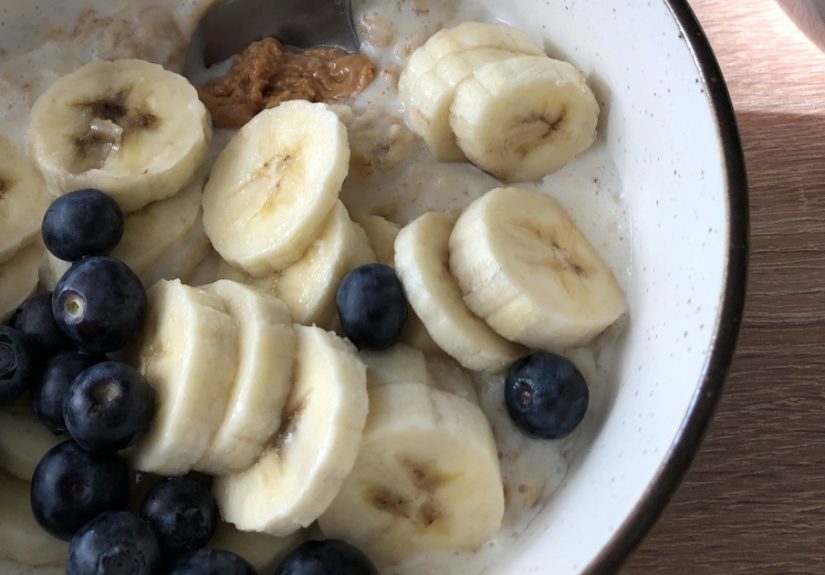
- 3) The “Is This Food or Modern Art?” Shot
- 4) The Parking Spot / “Where Did I Put That?” Photo
- 5) The Work/School Capture
- 6) The “I Need to Remember This Later” Photo
- 7) The Selfie / Outfit Check
- 8) The Nature Flex (Sunsets, Skies, Flowers, The Moon Being Dramatic Again)
- 9) The Accidental Photo (AKA “Pocket Noir”)
- What Your Camera Roll Is Doing to Your Memory (Yes, There’s Research)
- Make Your Next “Last Photo” Better (Fast Tips That Actually Work)
- Camera Roll Chaos: Organize and Back Up Without a Weekend Meltdown
- Privacy Check: What Your Photos Might Reveal (And How to Control It)
- Turn “Last Photo” Into a Fun Community Prompt
- Conclusion: Your Last Photo Is a Tiny Truth
- of Real-Life “Last Photo” Experiences (Panda Edition)
Quick challenge: open your camera roll and look at the very last photo you took. Don’t overthink it. Just… observe. Was it a sunset? A screenshot of a parking validation QR code? Your dog doing something illegal with a couch cushion? A blurry accident photo of the inside of your pocket (classic)?
Whatever it is, congratulations: you’ve just uncovered a tiny, unfiltered diary entry. The “last photo” is rarely curated. It’s impulsive. It’s practical. It’s chaotic-good. And it quietly reveals how we live nowone tap at a timewhile our phones slowly beg for mercy and storage.
We take a lot of photos. Modern estimates suggest humanity is now in “trillions per year” territory, with billions snapped daily. And in the U.S., smartphones are basically universalmeaning the camera is always within thumb range, ready to document everything from a baby’s first steps to your first attempt at assembling “easy” furniture.
Why Your “Last Photo” Matters (More Than It Should)
Your last photo is rarely “art.” It’s usually a toolproof, memory, convenience, or a tiny emotional rescue. In other words, it’s a clue.
- Proof: “I paid that bill.” “I shipped that package.” “Yes, the plumber really did that.”
- Memory: a moment you didn’t want to losekids, pets, a reunion, a perfectly dramatic sky.
- Information capture: a whiteboard, a recipe, a note, a screenshot of something you swear you’ll revisit (you won’t).
- Identity: outfit checks, gym progress, a selfie with the friend you only see twice a year.
In a way, your camera roll is the modern equivalent of pockets full of receipts, a scrapbook, sticky notes, and a photo albumall taped together and occasionally set on fire by “Storage Almost Full.”
The Most Common “Last Photo” Types (A Panda Field Guide)
1) The Screenshot Museum
If your last photo is a screenshot, you’re living in a world where information moves faster than your brain’s “save this somewhere sensible” function. Common specimens include:
- Maps, parking locations, gate numbers, reservation confirmations
- Recipes you’ll read once and then order takeout anyway
- Texts that feel too important to risk forgetting
- Impulse shopping screenshots for “research” (sure, bestie)
What it says: you’re practical, busy, and probably one app update away from losing the screenshot you needed most.
2) The Pet Check-In
Dogs, cats, hamsters, lizards with strong opinionspets dominate last-photo territory because they’re constantly doing something that looks like a meme in progress.
What it says: you’re emotionally intelligent and easily manipulated by tiny faces.
3) The “Is This Food or Modern Art?” Shot
Food photos aren’t just for flexing. They’re also memory anchors (“that ramen place!”), recommendations, and sometimes evidence that you did, in fact, eat something green this week.
What it says: you’re either celebrating joy, tracking habits, or preparing to send a friend the greatest phrase in human history: “you have to try this.”
4) The Parking Spot / “Where Did I Put That?” Photo
This is the photo of a parking space number, a street sign, a hotel room number, or the box you stored in the garage that you’ll never find again. Cameras are now external memory devices with flash.
What it says: you’ve been betrayed by your own brain before, and you’ve chosen peace.
5) The Work/School Capture
Whiteboards. Slides. Meeting notes. A schedule posted on a door. That one diagram you swear makes sense in the moment and then becomes ancient runes 12 hours later.
What it says: you’re trying to keep upsmart move. Also, consider writing one sentence of context in a note so Future You doesn’t spiral.
6) The “I Need to Remember This Later” Photo
This is the label on a product you liked, the serial number on a device, the medicine dosage on a box, or a cute plant tag you plan to use as a care guide. Cameras are great at capturing details we don’t want to type.
What it says: you’re resourcefuland you probably have 47 similar photos you’ve never cleaned out.
7) The Selfie / Outfit Check
Sometimes it’s a confidence boost. Sometimes it’s documentation. Sometimes it’s a “do I look like I’ve had eight hours of sleep?” diagnostic test (spoiler: the camera always tells the truth, and it’s rude).
What it says: you’re human. Also: lighting matters. Be kind to yourself.
8) The Nature Flex (Sunsets, Skies, Flowers, The Moon Being Dramatic Again)
Nature photos are the most wholesome form of “I need a minute.” They show up when people slow down enough to notice the world being beautiful for no reason at all.
What it says: your nervous system is requesting a tiny vacation.
9) The Accidental Photo (AKA “Pocket Noir”)
The blurred fabric abyss. The partial finger eclipse. The accidental burst-mode series of your ceiling. It happens to the best of us.
What it says: your phone is alive and occasionally chooses chaos.
What Your Camera Roll Is Doing to Your Memory (Yes, There’s Research)
Here’s the weird part: photos can help memory and also hurt itdepending on how you use them.
Some research suggests that mindlessly photographing things can reduce how well we remember them later, sometimes called a “photo-taking impairment effect.” The basic idea: if your brain senses the camera is “handling it,” you may pay less attention in the moment.
On the flip side, photos are powerful memory cues. Looking back at images can surface details and emotions you might otherwise loseespecially when you add context (captions, dates, a quick note about why it mattered).
The sweet spot: take fewer, more intentional photosand let them support your memory instead of replacing it.
A simple “Mindful Photo” rule (that doesn’t ruin fun)
- Take one anchor photo (the “I was here” shot).
- Take one detail photo (the weird sign, the latte art, the kid’s laugh-face).
- Put the phone away for 60 seconds and actually experience what you’re trying to remember.
Make Your Next “Last Photo” Better (Fast Tips That Actually Work)
For everyday shots (pets, people, food)
- Clean your lens (yes, right nowyour shirt counts).
- Tap to focus on the subject, then slightly adjust exposure if your phone allows it.
- Use window light indoors whenever possible; it’s the closest thing to free magic.
- Step back and zoom less to avoid mushy digital zoom artifacts.
- Hold for one extra second after tapping the shutterreduces blur more than you’d think.
For “useful photos” (whiteboards, receipts, documents)
- Fill the frame and keep the phone parallel to the surface to reduce distortion.
- Take two photos: one close for detail, one wider for context (who/where/why).
- Rename or favorite the photo right away so you can find it later without scrolling into the past.
Camera Roll Chaos: Organize and Back Up Without a Weekend Meltdown
Let’s be honest: most of us don’t need more photos. We need fewer lost photos, fewer duplicates, and fewer “why do I have 19 pictures of the same blurry menu?” situations.
Step 1: Decide what “backup” means for you
Backup isn’t just “photos exist somewhere.” Backup means: if you lose your phone today, your memories still exist tomorrow.
- Cloud backup: convenient, automatic, searchable.
- Local backup: a computer + external drive (great for big libraries).
- Best practice: use both if you can (belt + suspenders + peace).
Step 2: Use the tools you already have (smartly)
iPhone users: iCloud Photos can sync your library across devices and offers storage-saving options like “Optimize Storage,” which keeps full-resolution originals in iCloud and smaller versions on your phone when space is tight.
Google Photos users: you can choose backup quality. “Original quality” keeps full resolution; “Storage saver” reduces file size and can resize very large images/videouseful if your storage is constantly sweating.
OneDrive users: camera upload can automatically back up your camera roll, and in some setups it’s a one-way backup (meaning you can delete from the phone without deleting the backed-up copy).
Step 3: Do a 10-minute weekly “photo sweep”
- Delete obvious junk: pocket photos, accidental bursts, screenshots that already served their purpose.
- Favorite the truly important shots (birthdays, trips, milestones).
- Create one album per month or event (no perfection required).
- Back up before you do a big delete spreebecause regret is forever.
Bonus: External storage isn’t just for “tech people”
If you shoot lots of video or you’re the designated family historian, a portable SSD can be a lifesaver. It’s fast, durable, and gives you breathing room when cloud storage starts charging rent.
Privacy Check: What Your Photos Might Reveal (And How to Control It)
Photos can contain metadatalike time, date, device info, and sometimes location (geotags). That can be helpful (“where was this taken?”) but risky if you share photos publicly or with people you don’t fully trust.
Practical privacy moves
- Turn off camera location access if you don’t need it.
- Remove location metadata from specific photos before sharing.
- Be extra careful with: kids’ schools, home exteriors, street signs, documents, badges, and anything with identifying details.
- Remember: location data can be sensitive and revealing in ways people don’t expect.
Turn “Last Photo” Into a Fun Community Prompt
If you want to lean into the Panda energy, this prompt is perfect for friends, family chats, or social threads:
- “Post your last photono context.” (Then everyone guesses.)
- “Post your last photoonly 3 words of context.”
- “Post your last phototell the story behind it.” (Surprisingly wholesome.)
- “Post your last photowhat does it say about your week?”
You’ll learn quickly that everyone’s camera roll is a mix of chaos, care, errands, love, and the occasional perfect sky.
Conclusion: Your Last Photo Is a Tiny Truth
The last photo you took isn’t just an imageit’s a snapshot of what mattered right then. Sometimes it’s meaningful. Sometimes it’s hilarious. Sometimes it’s a screenshot you’ll never open again. (No judgment. We are all screenshots in the end.)
If you do one thing after reading this, do this: back up your photos. Then delete the obvious junk. Then take one intentional photo this weekone that Future You will genuinely thank you for.
of Real-Life “Last Photo” Experiences (Panda Edition)
1) The “Proof I’m Adulting” Photo: Your last photo is a close-up of a tracking receipt. You took it in a parking lot while juggling keys and coffee, convinced it would disappear into the universe if you didn’t document it. Later, you’ll find it instantlybecause it’s surrounded by eight screenshots of appointment reminders you also took “just in case.”
2) The Pet Crime Scene: Your last photo is your dog sitting beside a shredded pillow like a tiny, fluffy defendant. The expression says, “I would like to speak to my lawyer,” while the evidence says, “You definitely did this.” You send it to your group chat and get 14 laughing emojis and one friend who asks, “But is the dog okay?” (Yes. Emotionally? Questionable.)
3) The Grocery Store Mystery: Your last photo is a price tag. Not the productjust the tag. You meant to compare sizes, but now you have a high-resolution portrait of “$4.99” that future historians will interpret as ancient currency worship. Bonus points if you also photographed the ingredients list like you’re auditioning for a detective show called CSI: Snack Aisle.
4) The “Where Did I Park?” Panic Prevention: You snapped a photo of a sign that reads “B2” or “Row 17.” This photo is not glamorous, but it is powerful. It represents the moment you chose peace over wandering a garage like a confused extra in an apocalypse movie.
5) The Sunset You Didn’t Trust Anyone to Describe Correctly: Your last photo is a sky doing the absolute most. The colors are ridiculous. The clouds are dramatic. You take six photos, then one video, then another photo because the video didn’t “feel like it captured it.” You were right. You never really capture it. But you try anyway, because trying is part of being human.
6) The “Let Me Remember This Later” Screenshot: Your last photo is a screenshot of an article, a recipe, or a quote. You tell yourself you’ll revisit it when life slows down. Life does not slow down. The screenshot becomes a fossil in your camera rolluntil one day, months later, you find it and feel oddly proud of Past You for having ambitions.
7) The Friend Moment: Your last photo is a candid shot of a friend laughingslightly blurry, undeniably real. It’s not “perfect,” which is exactly why it matters. Later, when you scroll back, it hits harder than any posed photo because it’s a memory with motion still inside it.
8) The Work Brain Photo: Your last photo is a whiteboard. You took it fast because the meeting ended and everyone stood up at once, like a fire drill for adults. You look at it later and realize it’s half legible, half abstract art. Still, it helps. It’s evidence that you were there, you participated, and you survived.
9) The Accidental Photo That Feels Like Modern Poetry: It’s dark. It’s blurry. There’s a mysterious gradient. Is it fabric? Is it night sky? Is it the void? You delete it, but for a brief second you consider keeping it because it’s weirdly atmospheric and you’re one playlist away from becoming a moody photographer.
10) The Quiet Little Joy: Your last photo is something small: a cup of tea, a book page, your kid’s drawing, a plant you’re trying not to kill. Nothing viral. Nothing flexy. Just a soft moment you wanted to keep. And honestly? Those are the photos that end up meaning the most.