Table of Contents >> Show >> Hide
- What You Need Before You Start
- Which FIFA Game on Wii Should You Play?
- How to Start FIFA on the Wii
- Choose the Right Control Style
- Learn the Basics Before You Try Fancy Stuff
- Best Game Modes for Beginners
- How to Actually Get Better
- Common Problems and Quick Fixes
- The Real Appeal of FIFA on the Wii
- Experiences That Capture What Playing FIFA on the Wii Is Really Like
- Final Whistle
If you have a Wii, a copy of FIFA, and a healthy respect for flailing your arms in the living room, you are already halfway to kickoff. Playing FIFA on the Wii is not quite the same as playing it on PlayStation or Xbox. The Wii versions lean harder into motion controls, party-friendly modes, and pick-up-and-play fun. In other words, this is football with a little more chaos, a little more charm, and a much higher chance that someone on the couch will yell, “Why did you shoot from there?”
This guide walks you through exactly how to play FIFA on the Wii, from setting up the console and choosing the right controller style to learning the basic controls, finding the best game modes, and avoiding the classic beginner mistakes. Whether you are dusting off an old copy of FIFA 09 All-Play, loading up FIFA 10, or diving into FIFA 11 through FIFA 15, the goal is the same: get comfortable fast, score a few screamers, and have fun doing it.
What You Need Before You Start
Before you can bend one into the top corner, make sure you have the basics ready:
- A working Nintendo Wii console
- A Wii Remote
- A Nunchuk if you want more control over movement
- A sensor bar connected and placed correctly
- A FIFA Wii game disc
- An optional Classic Controller if you prefer a more traditional layout
If your Wii Remote is not synced, do that first. Open the SD card slot on the front of the Wii, remove the battery cover on the Wii Remote, press the red SYNC button on the remote, then quickly press the red SYNC button on the console. When the player light stops blinking, you are good to go. If you want to use a Nunchuk, plug it into the bottom of the Wii Remote and secure the cord properly. And yes, the sensor bar matters more than many people remember. If it is too low, off-center, or basically hanging on for dear life, pointer-based controls can feel weird fast.
Which FIFA Game on Wii Should You Play?
The Wii had several FIFA releases, and they do not all feel the same. If you are trying to decide which one to start with, here is the easy version:
FIFA 08
This is the Wii experiment phase. It introduced motion-based play, online support back in the day, and the goofy-but-fun Footii Party mini-games. It is charming, but it feels more like a first draft than the polished version.
FIFA 09 All-Play
This is one of the best entry points for beginners. It pushed accessibility hard, improved controls, and added the over-the-top eight-player Footii mode. If you want a Wii FIFA that feels friendly right away, this is a great place to begin.
FIFA 10
FIFA 10 on Wii struck a nice balance between arcade energy and real football structure. It feels more responsive than earlier entries and is often one of the strongest picks for players who want fun without total button overload.
FIFA 11
If you want the fullest and most entertaining Wii-era package, FIFA 11 is a strong choice. It includes traditional 11 versus 11 play, street football, and indoor five-a-side modes. It is fast, easy to grasp, and especially good with friends.
FIFA 12 to FIFA 15
These later Wii versions continue the familiar formula with similar controller options and feature sets. If you already own one, you can absolutely enjoy it. But if you are shopping around, many retro players still gravitate toward FIFA 10 or FIFA 11 as the sweet spot.
How to Start FIFA on the Wii
Once your hardware is ready, launching the game is simple:
- Insert the FIFA disc into the Wii.
- Wait for the Health and Safety screen.
- Press the A button.
- Point to the Disc Channel on the Wii Menu and press A.
- Select Start.
- Tighten your wrist strap and continue to the title screen.
That part is straightforward. The real decision starts on the side select and controller setup screens, because this is where the Wii version of FIFA reveals its personality.
Choose the Right Control Style
One of the smartest things about FIFA on Wii is that it does not force everyone to play the same way. In later Wii entries, especially FIFA 14 and FIFA 15, you can choose from several control styles. That means beginners, casual players, and people who still refuse to admit they are competitive can all find a setup that works.
1. Wii Remote Only
This is the easiest way to start. In the All Play control style, the CPU handles your player’s movement, while you focus on the fundamentals like passing, shooting, tackling, and simple tricks. It is perfect for kids, first-time players, or anyone who wants to jump in without learning football tactics and joystick movement on day one.
On many Wii editions, the basics look like this:
- A to pass
- B to shoot or tackle
- Shake the Wii Remote for a slide tackle in 11v11 play
- Use pointer controls to direct passes in supported modes
If you are the type of player who wants to feel useful immediately, this is your lane.
2. Wii Remote and Nunchuk
This is the best option for most players. You get actual movement control with the analog stick, while still keeping the Wii’s accessible button layout and motion gestures. You can move, aim shots, sprint, pass, and defend with much more freedom than in All Play mode.
Typical basics include:
- Control stick to move and aim
- A to pass
- B to shoot
- Z to sprint
- Shake the Wii Remote to slide tackle in 11v11 modes
This is the control style that makes FIFA on Wii feel like a real game rather than a really energetic family reunion.
3. Classic Controller
If you want traditional football-game controls, plug in a Classic Controller. This setup gives you more precise passing and a more familiar feel if you grew up on FIFA or Pro Evolution Soccer with standard pads. It is not as uniquely “Wii,” but it is reliable and comfortable.
Pro tip: you can usually change the control type from the Side Select screen before the match or through the pause menu during gameplay. So if one setup feels awkward, switch instead of suffering in silence like a defender who just got nutmegged.
Learn the Basics Before You Try Fancy Stuff
The fastest way to get better at FIFA on the Wii is not by attempting bicycle kicks immediately. It is by getting comfortable with five things:
Passing
Passing is everything. In the Wii versions, passing is usually forgiving compared with the HD console versions, which is good news. Work on short passes first. Move the ball across the field, avoid forcing risky through balls, and do not treat every possession like a personal audition for a highlight reel.
Shooting
Shots are easy to trigger, but smart shooting still matters. Wait for a clean angle. Do not blast every ball from 30 yards out unless your goal is to test the crowd’s reflexes. Aim low and controlled shots inside the box before you start chasing wonder goals.
Defending
Beginners love charging at the ball like shopping carts with bad wheels. Try to stay between the attacker and the goal instead. Use standing tackles first, and save slide tackles for moments when you are sure you can win the ball. Otherwise, congratulations, you have invented a free kick.
Sprinting
Sprint less than you think. Constant sprinting makes your play messy and rushed. Use it to break into space, recover on defense, or chase a through ball. Using it everywhere is like yelling every word in a conversation. Technically possible, strategically terrible.
Player Switching
When defending, learn how to switch players quickly. Many new players stay stuck on the wrong defender and watch a goal happen in slow motion. Not ideal.
Best Game Modes for Beginners
Kick-Off or Hit the Pitch
This is the best place to start. Pick two teams, set a manageable difficulty, and just play. It lets you learn pacing, spacing, and control without worrying about seasons, management, or advanced menus.
All Play Matches
If your version supports All Play, use it. It reduces the number of things you need to manage, which makes it perfect for learning how passing, shooting, and tackling work.
Street Football and Indoor Modes
FIFA 11 especially shines here. Street and indoor matches are faster, smaller, and more chaotic, which actually makes them great for casual sessions. They are fun with friends and less intimidating than a full 11-on-11 match.
Training and Manager Modes
Later Wii entries also include deeper modes, including manager-style progression and training systems. Once you understand the core gameplay, these modes add a lot of replay value.
How to Actually Get Better
If you want to stop losing 4-0 to your cousin who has not touched a Wii in twelve years, use these tips:
- Start on a lower difficulty and move up once you can pass comfortably.
- Use a strong club with good pace and finishing.
- Play wide and cross only when it makes sense.
- Do not overuse slide tackles.
- Try the Wii Remote plus Nunchuk once All Play starts feeling too automatic.
- Replay matches and notice where you lose possession.
- Play local multiplayer often because it teaches timing and improvisation faster than AI matches do.
Common Problems and Quick Fixes
The pointer feels off
Check the sensor bar placement. Make sure it is centered and set correctly as above or below the TV in the Wii system settings.
The remote is not responding
Resync the Wii Remote and check the batteries. This solves a surprising number of problems, both in football and in life.
The controls feel too simple
Switch from All Play to Wii Remote and Nunchuk, or move to the Classic Controller for more precise play.
Online mode will not work
The original Nintendo Wi-Fi Connection service for Wii games was discontinued in 2014, so official online play for these older FIFA titles is no longer available through Nintendo’s original service. Offline play still works fine.
The Real Appeal of FIFA on the Wii
FIFA on the Wii is not the most technical version of FIFA ever made, and that is exactly why so many people still enjoy it. It does not always chase realism with the same obsession as the HD versions. Instead, it goes after something more social: immediate fun.
You can hand a Wii Remote to someone who barely plays games and get them involved within minutes. You can run a quick match, laugh at a badly timed slide tackle, jump into a street mode session, and create a surprisingly competitive little living-room tournament without needing a graduate degree in controller diagrams. The Wii versions were built to get people playing, not just studying menus.
Experiences That Capture What Playing FIFA on the Wii Is Really Like
What makes FIFA on the Wii memorable is not just the football. It is the atmosphere around the football. The experience feels different from sitting alone with a headset and playing an ultra-serious online season. On the Wii, the game often becomes a room event. Someone is standing instead of sitting. Someone is taking motion controls way too seriously. Someone else is absolutely convinced the Wii Remote shake added “extra power” to a shot. Whether that is scientifically true is beside the point. In the moment, it feels true, and that is what matters.
For many players, the first few matches are full of happy confusion. You start out trying to remember which button passes and which one shoots. Then you realize the CPU can help with movement in All Play mode, and suddenly the game opens up. A player who normally avoids sports games can now score. A younger sibling can stay involved. A parent who says, “I do not play video games,” somehow ends up celebrating a goal like they just won a cup final. That is the secret sauce of FIFA on the Wii. It lowers the barrier to entry without removing the thrill of competition.
There is also a very specific joy to the Wii versions’ smaller, faster, more playful modes. Street football and indoor matches can feel wonderfully chaotic. The ball comes back at you quickly, the pitch feels tighter, and every mistake turns into instant pressure. Those matches create stories. Someone banks in a lucky goal off the wall. Someone tries a trick and loses the ball in embarrassing fashion. Someone discovers that the “casual round” has suddenly become deeply personal. You do not always remember the score years later, but you remember the feeling.
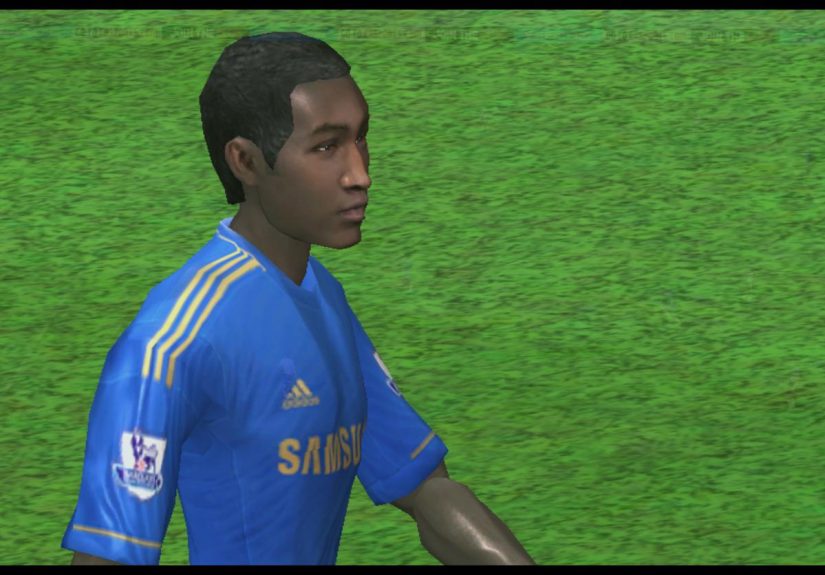
Even the rough edges become part of the charm. The motion controls are not perfect. The graphics are not as flashy as the bigger consoles. The rosters are old now. But retro gaming is rarely about chasing the newest thing. It is about revisiting how games felt when they prioritized personality. FIFA on the Wii has personality. It has oddball modes, lively pacing, and just enough unpredictability to keep every couch session entertaining.
There is also a nostalgia factor that hits hard. Loading the disc, hearing the menu music, picking a club, and starting a match on original Wii hardware has a rhythm all its own. The whole process feels tactile. You point at the menu. You click through with the remote. You settle into a control scheme that is weird for five minutes and then suddenly makes perfect sense. Before long, you are not thinking about the hardware at all. You are just playing.
That is probably the best way to describe the experience of FIFA on the Wii. It is approachable, a little goofy, occasionally messy, and genuinely fun. It turns football into something social and energetic. It rewards skill, but it also rewards enthusiasm. And sometimes, after a few matches, that is exactly the kind of football game you want.
Final Whistle
If you want to play FIFA on the Wii, the process is simple: set up the console correctly, sync your Wii Remote, connect the Nunchuk if you want more control, pick a FIFA game that fits your style, and start with an easy control scheme before working your way up. FIFA 09 All-Play is great for beginners, FIFA 10 is a strong all-around choice, and FIFA 11 is one of the most entertaining Wii football packages if you want both standard matches and street-style fun.
The Wii versions of FIFA may not be the most modern, but they are still easy to enjoy. They are fast, friendly, and built for local fun in a way that many sports games have forgotten. So grab the remote, pick your club, and try not to celebrate so hard that you knock over the lamp.