Table of Contents >> Show >> Hide
- What a WiFi Enabled Mailbox Actually Is
- Why Smart Mailboxes Are Suddenly Tempting
- Before You Build One, Respect the Mailbox Rules
- The Smart Features Actually Worth Paying For
- Yes, Your Mailbox Can Be Hacked if You Are Careless
- How a WiFi Mailbox Fits With USPS Informed Delivery
- DIY Build or Buy a Ready-Made Smart Mailbox?
- Does a Smart Mailbox Actually Prevent Theft?
- The Best Real-World Setup
- Final Verdict
- Extra Experience: What It Feels Like to Live With a WiFi Mailbox
- SEO Tags
There are two kinds of homeowners in this world. The first kind hears the words smart mailbox and thinks, “Neat, now I can get a phone alert when the bills arrive.” The second kind immediately pictures a tiny fortress at the curb, complete with sensors, app notifications, and enough blinking lights to make the neighborhood raccoon file a complaint. This article is for both people.
A WiFi enabled mailbox sounds like the punchline to a joke about modern life. We have smart TVs, smart thermostats, smart doorbells, and now apparently a mailbox that can tattle on the mail carrier in real time. But the idea is not as ridiculous as it sounds. A connected mailbox can make daily deliveries easier to track, reduce missed packages, help you spot theft faster, and save you from unnecessary trips down the driveway in your slippers.
Of course, there is a line between “clever home upgrade” and “I have accidentally built a tiny internet-connected panic room for coupons.” The best smart mailbox setup is practical, secure, weather-resistant, and still respectful of how mail actually gets delivered. Done right, it becomes one of the more useful smart-home projects you can own. Done wrong, it becomes a glorified science-fair project that annoys you, confuses your carrier, and dies during the first rainstorm.
What a WiFi Enabled Mailbox Actually Is
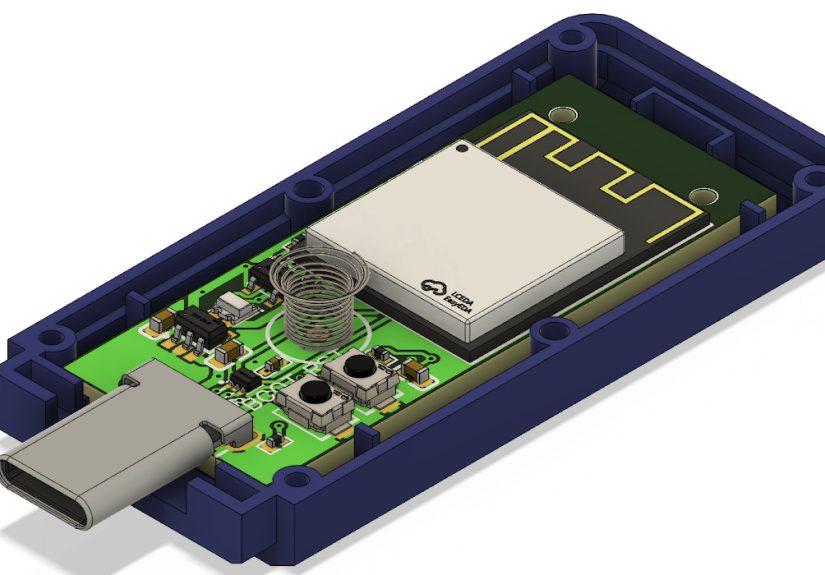
A WiFi enabled mailbox is usually not a mailbox that literally surfs the web and reads your spam. It is typically a standard or locking mailbox paired with one or more smart features: a door-open sensor, motion detector, package sensor, battery-powered alert module, smart camera, or app-based notification system. When the door opens or a package drops inside, you get a ping on your phone instead of a vague internal feeling that the mail might be here.
Some setups are simple. A sensor notices the mailbox door opened, and your app says, “Mail arrived.” Other systems are more advanced and combine a locking mailbox, oversized parcel compartment, motion alerts, and delivery tracking tools. A few homeowners go full mad scientist and connect the whole thing to a smart-home hub so the porch speaker chirps, the kitchen tablet lights up, and the dog begins an unnecessary tactical response.
The point is not to turn your mailbox into a robot. The point is to remove friction. If you get important checks, prescriptions, legal notices, or too many online orders from late-night shopping adventures, knowing exactly when something arrives is genuinely useful.
Why Smart Mailboxes Are Suddenly Tempting
The biggest reason is obvious: people receive more deliveries than ever. Mail is no longer just birthday cards, mysterious catalogs, and that one credit card offer that somehow survives every shredder in America. Now it is medication, replacement parts, tax documents, online returns, birthday gifts, school supplies, and three household items you absolutely did not need but purchased anyway because shipping was free.
That rising delivery volume has made mailbox design more important than it used to be. Large-capacity and package-friendly mailboxes are more attractive because a tiny, old-school box cannot handle modern life. If your current mailbox can barely fit a magazine without folding it like a taco, it is basically begging for trouble.
There is also the theft issue. Package theft is not some dramatic urban legend whispered between neighbors over hedges. It is a real and expensive problem. That is why a mailbox that can hide smaller packages, protect mail from weather, and alert you the second something arrives is more than a gimmick. It is a practical response to a very modern headache.
Before You Build One, Respect the Mailbox Rules
This is the unglamorous part, but it matters. Your mailbox may belong to you, but mail delivery still runs on postal rules. And those rules are not optional just because you attached an app to the side.
Placement matters more than your gadget list
If you are installing or replacing a curbside mailbox, placement is not freestyle. Standard guidance for many curbside boxes puts the mail entry roughly 41 to 45 inches from the road surface and about 6 to 8 inches back from the curb or road edge. That is not bureaucratic fussiness. It allows the carrier to deliver safely and efficiently without doing driveway yoga from the truck window.
Post design matters too. The support should be sturdy, but not built like a medieval siege weapon. Oversized concrete monsters and unyielding steel contraptions are a bad idea. Safer posts are designed to bend or break away if struck by a vehicle. So yes, your smart mailbox can be impressive. It just should not double as highway armor.
Do not DIY a lock onto the wrong box
This is where many enthusiastic tinkerers get tripped up. A locking mailbox is not just any regular mailbox with a padlock and optimism. If you want a locked curbside design, choose one that is actually intended for that purpose and approved for delivery. The carrier should not need a key, a code, or a heroic amount of patience to deliver your mail.
In plain English: buy the right mailbox first, then add the smart layer. Do not invent a delivery obstacle and call it innovation.
Bigger can be better
Package-friendly mailboxes exist for a reason. If you receive padded mailers, small parcels, and chunky envelopes, a larger approved mailbox can reduce weather exposure and keep items out of sight. That alone may solve half the problem before any WiFi magic enters the picture.
The Smart Features Actually Worth Paying For
Not every shiny feature deserves a spot in your setup. A good connected mailbox focuses on four things: alerting, security, durability, and convenience.
1. Instant mail alerts
This is the most useful feature by far. A simple sensor can notify you when the mailbox door opens. That means no more repeated driveway checks, no more forgotten outgoing mail, and no more discovering an important letter after it has been sitting outside marinating in humidity for two days.
For older homeowners, frequent travelers, or anyone waiting on important documents, this is not just a toy. It is peace of mind in notification form.
2. A locking compartment
If you are serious about mailbox security, pair smart alerts with a locking design. An alert tells you something arrived. A lock helps ensure it stays there until you retrieve it. The combination is far more useful than either feature alone. Think of it as brains plus brawn, except the brawn is usually powder-coated steel.
3. Weather resistance
A connected mailbox lives outdoors, where nature enjoys destroying electronics for sport. Any sensor, camera, or battery pack you install should be rated for outdoor use or protected inside the mailbox structure. Rain, heat, cold, dust, and direct sun are not minor details. They are the whole game.
If your technology cannot survive one rude thunderstorm, it is not a smart mailbox. It is yard clutter with ambition.
4. Sensible power choices
Battery-powered accessories are common because running hardwired power to a curbside box is not exactly a relaxing Saturday task. But use good batteries, approved chargers, and manufacturer-recommended replacements. Cheap mystery batteries from the internet are how harmless gadgets become cautionary tales. If a device needs charging, follow the instructions and do not get creative.
Yes, Your Mailbox Can Be Hacked if You Are Careless
Here is the least romantic sentence in smart-home history: every connected device is also a tiny security decision. If your mailbox sensor uses WiFi or an app, treat it like any other internet-connected device. Change default passwords. Use strong unique credentials. Turn on two-factor authentication if available. Keep the firmware updated. Secure your home network. If your router still uses the password printed on a sticker from three apartments ago, your smart mailbox is not the weak link. It just joined a weak family.
Some homeowners also put smart-home gadgets on a separate network or guest network. That is not paranoia. It is tidy digital housekeeping. Your mailbox does not need the same network privileges as your laptop, phone, and work files. It just needs to send an alert when the carrier drops off your electric bill and your sense of personal peace leaves the building.
How a WiFi Mailbox Fits With USPS Informed Delivery
One of the smartest moves is combining a physical smart mailbox with digital tracking. USPS Informed Delivery can preview incoming letter-sized mail and help you keep tabs on package activity, while your mailbox sensor tells you the moment something physically arrives. Together, these tools create a useful one-two punch.
Informed Delivery tells you what is coming. The mailbox alert tells you it is actually there. That combination is surprisingly satisfying. It feels a bit like having a weather forecast and then hearing the first raindrop hit the porch roof. Prediction meets proof.
And if something that was expected never shows up, or the mailbox opens at a suspicious time, you have more context to act fast. That does not make you a vigilante. It just makes you organized, which is far less cinematic but much more effective.
DIY Build or Buy a Ready-Made Smart Mailbox?
Buying a finished system is easier, cleaner, and usually better if you want reliability. You choose an approved mailbox, add a reputable sensor or an off-the-shelf alert device, follow the instructions, and move on with life. This is the route for people who want results, not a long-term relationship with troubleshooting forums.
DIY makes sense if you already enjoy home automation, know how to weatherproof electronics, and genuinely want the project. In that case, a custom setup can be excellent. You can combine a USPS-approved locking mailbox with a discreet contact sensor, long-range wireless alert, solar trickle charging, and app automation. That is a fun weekend for the right person.
But DIY only works if you accept one brutal truth: the mailbox still has to function perfectly for the carrier. Your custom genius is irrelevant if the slot is awkward, the door sticks, or the signal flag becomes decorative nonsense. The mail must come first. Your automation drama comes second.
Does a Smart Mailbox Actually Prevent Theft?
Not by itself. A notification is not a force field. If a thief opens your mailbox five seconds after delivery, the alert mainly tells you that your bad day has started promptly. But paired with a lock, better placement, tracking tools, and faster retrieval, a smart mailbox can reduce risk in a meaningful way.
It also changes your habits, which is a bigger deal than people realize. When you know the moment mail arrives, you are more likely to collect it quickly. That shortens the window of opportunity. A package-friendly mailbox also keeps smaller deliveries out of sight, which matters because opportunistic theft often begins with visible temptation.
For larger packages, a smart mailbox is only part of the strategy. Redirect options, pickup locations, signature requirements, and delivery instructions are still worth using. In other words, your mailbox can get smarter, but it should still have backup.
The Best Real-World Setup
If you want the version that makes sense for most homeowners, here it is: start with an approved locking or large-capacity mailbox, install it properly, add your house numbers clearly, and pair it with a simple mailbox alert sensor. Then connect that with delivery notifications from USPS and any carriers you use most often.
That setup avoids the two biggest mistakes people make. First, it does not overcomplicate the hardware. Second, it does not confuse the carrier. The mailbox still works like a mailbox, just with better manners and a better memory.
You do not need a camera that can identify squirrels by attitude. You do not need a voice assistant shouting, “TREMBLE, POSTAL MORTAL, A LETTER HAS ARRIVED.” You need a mailbox that protects the mail, works with postal standards, and tells you what happened. That is the sweet spot.
Final Verdict
So, should you make your mailman nervous with a WiFi enabled mailbox? Not literally. Your goal is not to create an intimidating curbside cyborg that hums ominously as the truck approaches. Your goal is to build a smarter, safer, and more convenient place for your mail to land.
The best WiFi enabled mailbox is half common sense, half smart-home upgrade. It respects postal rules, protects against weather, reduces theft risk, and gives you instant visibility into one of the most boring but important parts of daily life. There is humor in the concept, sure. But there is also genuine utility.
And honestly, there is something deeply satisfying about getting a tiny notification that says your mail has arrived before the truck has even turned the corner. It is modern, mildly ridiculous, and surprisingly effective. Which, if we are being honest, describes most of the best smart-home gadgets anyway.
Extra Experience: What It Feels Like to Live With a WiFi Mailbox
Living with a smart mailbox changes your routine in odd little ways. At first, it feels absurd. You install the sensor, connect the app, test the alert, and then stand in the kitchen waiting for your mailbox to text you like it is a needy teenager. The first real notification arrives, and suddenly the whole idea makes sense. Instead of wondering whether the carrier has come by, you know. Not approximately. Not spiritually. Actually know.
That certainty is more useful than people expect. You stop doing unnecessary driveway patrols. You stop checking the mailbox “just in case” while taking out the trash, walking the dog, or pretending to enjoy the weather. You also notice patterns. Maybe your regular delivery window is earlier than you thought. Maybe small packages that used to sit on the porch now fit safely in a larger box. Maybe your outgoing mail is getting picked up more reliably because you are paying attention instead of hoping for the best.
The experience also adds a weird layer of domestic satisfaction. A mailbox is normally one of the dullest objects you own. It sits there all day contributing nothing but rust and occasional disappointment. A connected mailbox, by contrast, becomes part of your household rhythm. It quietly reports in. It turns an invisible event into a visible one. It makes the curb feel slightly less distant from the rest of the house.
There is also a subtle emotional upgrade. If you are waiting for legal documents, tax forms, replacement credit cards, medication, or an important check, the alert removes a low-grade background anxiety. Instead of wondering whether the mail came and whether something important is sitting outside, you get the message and make a decision. Grab it now. Pick it up later. Ask someone else to bring it in. That is a small convenience, but small conveniences are what make technology feel worthwhile.
And yes, there is a fun side to it. Friends laugh the first time you mention your mailbox sends phone alerts. Then they ask questions. Then they start thinking about their own porch theft problems, missed deliveries, or oversized envelopes bent into sad origami by an old metal box from 1997. The joke travels in one direction: from “That is ridiculous” to “Wait, that is actually kind of smart.”
The only time it feels silly is when the mailbox becomes too clever for its own good. Overly sensitive motion alerts, flaky batteries, or hardware that hates humidity will remind you fast that convenience should not require constant babysitting. The best experience comes from restraint. A reliable alert. A secure box. A sensible install. No drama. No gimmicks. Just a small improvement that you appreciate almost every day.
In the end, living with a WiFi mailbox is not about showing off. It is about removing one more tiny uncertainty from life. And for a household object whose traditional job is “sit there and collect paper,” that is a surprisingly big promotion.