Table of Contents >> Show >> Hide
- Why WCAG and SEO Belong in the Same Conversation
- What WCAG Actually Is
- The Moz Angle
- Where WCAG and SEO Overlap the Most
- What Accessibility Helps Indirectly in SEO (and What It Doesn’t)
- A Practical WCAG + SEO Workflow for Content Teams
- Common Mistakes That Hurt Both Accessibility and SEO
- Experience Notes from Real-World WCAG + SEO Work
- Conclusion
- SEO Tags
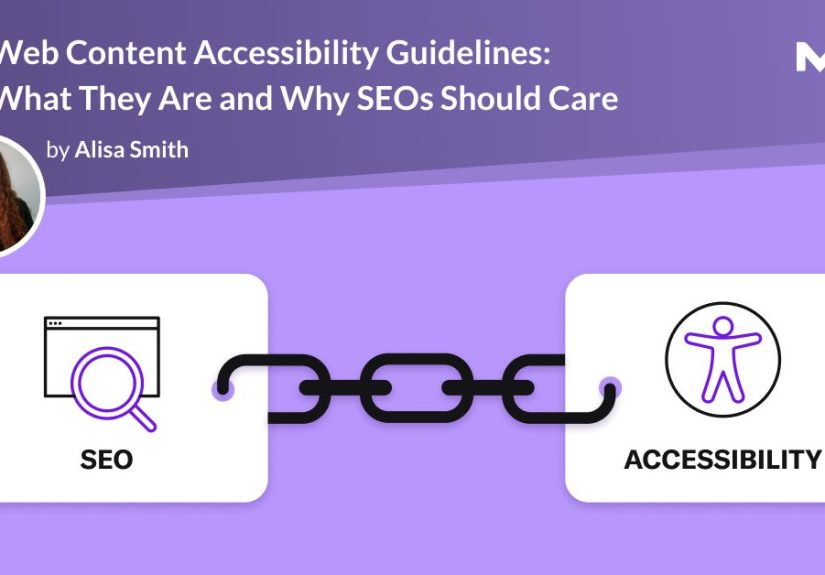
If SEO and accessibility were coworkers, they’d be the pair everyone should invite to the same meetingbut somehow still don’t. One is trying to help search engines understand your pages. The other is trying to help people understand and use your pages. Turns out, those goals overlap a lot. Like “same to-do list, different stickers” a lot.
This guide breaks down how Web Content Accessibility Guidelines (WCAG) support better SEO outcomes, better user experience, and better long-term website health. We’ll use a practical, Moz-style lens: clear strategy, real examples, and no robotic keyword soup. By the end, you’ll know what to fix first, what to stop doing, and how to build pages that both humans and search engines can navigate without a headache.
Why WCAG and SEO Belong in the Same Conversation
SEO teams often focus on crawlability, indexability, page relevance, and click-through rates. Accessibility teams focus on screen readers, keyboard navigation, readable contrast, captions, and semantic structure. Different vocabulary, same core mission: make content understandable and usable.
When a page uses proper headings, descriptive links, meaningful titles, and accurate alt text, it becomes easier for assistive technologies to interpret and easier for search engines to parse. That is not a coincidence. It’s good information architecture.
Accessibility does not magically turn into a direct “rank me higher” button. But it does improve many of the signals and site qualities that support SEO performance: cleaner HTML, stronger content structure, better internal linking, improved usability, and fewer dead-end experiences. In short, WCAG work often removes friction, and search engines tend to like low-friction websites.
What WCAG Actually Is
WCAG stands for Web Content Accessibility Guidelines, the technical standard used worldwide to make web content accessible to people with disabilities. WCAG 2.2 organizes guidance under four principles often called POUR:
- Perceivable – Users must be able to perceive the content.
- Operable – Users must be able to operate the interface.
- Understandable – Users must be able to understand the content and controls.
- Robust – Content should work reliably across browsers and assistive technologies.
WCAG also uses conformance levels: A, AA, and AAA. In practice, most organizations target WCAG Level AA because it balances impact and feasibility. AAA is valuable for some contexts, but it’s usually not realistic for every page type.
There’s also a legal angle. In the U.S., accessibility expectations increasingly point to WCAG. For example, the U.S. Department of Justice has set WCAG 2.1 Level AA as the technical standard for many state and local government web and app contexts under Title II rules. If you publish public-facing content, accessibility is no longer just “nice to have.” It’s risk management and service quality.
The Moz Angle
Moz has long taught a simple SEO truth: build helpful pages for real people first, then make them easy for search engines to understand. That mindset fits accessibility perfectly. If your page title is vague, your headings are messy, your links say “click here,” and your images have empty alt text, both users and crawlers lose context.
Think of accessibility as technical SEO for humans. Or, if you prefer, think of technical SEO as accessibility for robots. Either way, the best site architecture serves both.
Where WCAG and SEO Overlap the Most
1) Semantic HTML and Crawlable Structure
Semantic HTML is the shared language of SEO and accessibility. Search engines and assistive technologies both rely on HTML elements to understand what a page is and how it’s organized.
Using the right element for the right job matters:
<h1>to<h6>for headings<nav>,<main>,<footer>for landmarks<button>for actions (not random clickable<div>s)<a href>for links that users and crawlers can follow
If your site relies on JavaScript-only click handlers without proper anchor markup, Google may not reliably crawl those links. Meanwhile, screen reader and keyboard users can get stuck. One bad implementation, two different problems.
Example: A category grid made of clickable cards should still contain real anchor tags. Fancy CSS? Great. Animated hover states? Fine. But underneath the makeup, the HTML still needs bones.
2) Page Titles, Headings, and Search Clarity
Strong titles and headings help people scan content quicklyand help search engines understand relevance. Google uses multiple page signals for title links in search results, including the HTML <title> and visible headings like <h1>. If those signals are sloppy or inconsistent, Google may rewrite your title link.
Accessibility guidance also emphasizes descriptive document titles because assistive technology users often rely on page titles to know where they are. In other words, a clear title is not just SEO polish; it’s basic wayfinding.
Better title example: “WCAG and SEO Checklist for Content Teams”
Worse title example: “Home” or “Article Page” (the digital equivalent of labeling every drawer “stuff”).
For headings, keep them logical and sequential. A clean heading hierarchy improves scannability for everyone and reduces ambiguity for screen reader users. It also makes your content easier to extract, summarize, and interpretyes, including by search engines.
3) Descriptive Link Text Helps Humans and Search Engines
Generic link text like “click here,” “read more,” and “learn more” is one of the most common accessibility and SEO misses. It gives almost no context when read out of order (which is how many assistive tools present links), and it also weakens semantic context for search engines.
Google’s link best practices are blunt: use descriptive anchor text. Lighthouse says the same thing in its SEO audits. Accessibility experts have been saying it for years too.
Instead of: “Click here”
Use: “Download the WCAG content checklist”
That one change improves:
- Screen reader link lists
- User confidence before clicking
- Internal link context
- Crawl understanding and topical relevance
And yes, this also applies to linked images. If an image is a link, the image’s alt text may be used like anchor text. “Image123.jpg” is not a strategy.
4) Alt Text and Images
Alt text is one of the most misunderstood content fields on the web. It is not a place to dump keywords, brand names, and your emotional support adjectives. It is a text alternative that should describe the image’s purpose or meaning in context.
From an accessibility perspective, alt text helps users who cannot see the image. From an SEO perspective, it helps search engines understand image content and linked-image intent.
Good alt text: “Kitchen remodel with matte black cabinets and white quartz island”
Bad alt text: “kitchen remodel kitchen design cabinets modern kitchen ideas best kitchen remodel”
Notice the difference? One is useful. The other is a keyword piñata.
Also important: some images should have empty alt text (alt="") if they are purely decorative. Accessibility is about relevance, not describing every swirl and divider line on the page.
5) Forms, Labels, and Conversion SEO
Accessibility and SEO often meet at the point where money happens: forms. Newsletter signups, quote requests, checkout flows, lead gen formsif those forms are not accessible, your conversion rate suffers. And if your conversion rate suffers, your SEO traffic value drops too.
Every form field should have a visible label and associated programmatic label. Placeholder text is not a substitute for a label. Placeholders disappear as users type, and they are usually terrible at explaining anything useful anyway.
Use:
- Clear field labels
- Helpful instructions
- Error messages that explain what to fix
- Keyboard-accessible controls
- Logical tab order
That is good accessibility. It is also good conversion optimization. Fewer confused users = fewer abandoned forms.
6) Color Contrast, Focus States, and Readability
If your text is low contrast, users struggle. If users struggle, they bounce. If they bounce because they literally can’t read the page, that’s not a “content problem.” That’s a design failure.
WCAG contrast rules are clear: normal text generally needs stronger contrast than many trendy design systems provide. Gray text on slightly different gray backgrounds may look sleek in a mockup, but on a real laptop in sunlight it becomes an accidental puzzle game.
Focus indicators matter too. Keyboard users need a visible focus state to know where they are on the page. Removing outlines because they look “ugly” is like removing road lines because they ruin the aesthetic of the highway.
Readable content improves usability for everyone, including users on mobile devices, older displays, or low-light environments. Better readability supports longer sessions, better task completion, and stronger engagementoutcomes every SEO team wants.
7) Captions, Transcripts, and Multimedia Content
WCAG requires captions for prerecorded video audio in many cases, and for good reason: captions make content accessible to people who are deaf or hard of hearing. They also help people watching on mute, in noisy rooms, or in places where audio is not practical.
Transcripts and captions can also improve content utility and discoverability. They give users text they can scan, quote, search, and revisit. For SEO, that often means more contextual content on the page, better comprehension, and better long-tail coverageespecially for tutorials, interviews, webinars, and product demos.
Bottom line: multimedia without text alternatives is a missed opportunity twice over.
What Accessibility Helps Indirectly in SEO (and What It Doesn’t)
Let’s keep this honest and useful.
Accessibility can help SEO indirectly by improving:
- Content structure and semantic clarity
- Internal linking and navigability
- Image understanding through meaningful alt text
- User trust and task completion
- Engagement quality (because users can actually use the page)
- Site-wide consistency and quality control
Accessibility is not:
- A guaranteed ranking boost by itself
- A replacement for keyword research
- A substitute for content quality
- A license to stuff alt text, headings, or anchors with keywords
Think of accessibility as a multiplier. It makes good SEO stronger and weak SEO less fragile. It won’t rescue a useless pagebut it will prevent good pages from being harder to use than they need to be.
A Practical WCAG + SEO Workflow for Content Teams
Step 1: Audit Templates First
Don’t start by fixing 500 blog posts manually. Start with templates: article pages, category pages, product pages, and forms. One template fix can improve hundreds of URLs.
Step 2: Run Automated Checks
Use Lighthouse, browser tools, and accessibility scanners for quick wins. They catch common issues like missing alt attributes, missing labels, contrast problems, and weak link text.
Just remember: automated tools are a first pass, not a final exam. They can’t detect every accessibility issue.
Step 3: Do Manual Testing
At minimum, test keyboard navigation:
- Can you tab through the page in a logical order?
- Can you open menus, popups, and filters without a mouse?
- Can you see where focus is?
- Can you submit forms and recover from errors?
Then test with a screen reader on key workflows. You don’t need to become an accessibility engineer overnight, but hearing your page read aloud is often the fastest way to discover vague headings, broken labels, and weird navigation behavior.
Step 4: Fix High-Impact Content Fields
Train writers and editors to handle the basics consistently:
- One clear page title
- One clear H1
- Logical H2/H3 structure
- Descriptive links
- Useful alt text
- Captions/transcripts for media
This is where SEO and content teams can contribute immediately, without touching backend code.
Step 5: Build Accessibility into QA
Add accessibility checks to publishing workflows, code review, and design QA. If accessibility only happens during a panic sprint before launch, it will be inconsistent and expensive.
Make it boring. Boring is good. Boring means repeatable.
Common Mistakes That Hurt Both Accessibility and SEO
- Using generic link text (“read more,” “click here”) everywhere
- Skipping heading levels because the visual style looked nice
- Using images of text when real text would work better
- Writing alt text like a keyword dump
- Building clickable elements with non-semantic HTML
- Removing focus outlines for aesthetics
- Relying only on automated testing
- Ignoring PDFs and downloads that still matter to users
If this list feels uncomfortably familiar, congratulations: your website is normal. The good news is these are fixable problems, and most of the fixes also improve content quality.
Experience Notes from Real-World WCAG + SEO Work
One of the most consistent patterns in accessibility-and-SEO projects is that the biggest wins usually come from “small” content decisions. Not giant redesigns. Not expensive migrations. Just better habits.
For example, a content team might publish excellent articles but use the same anchor text over and over: “read more,” “continue,” “view article.” From a writing perspective, that sounds harmless. From a usability perspective, it creates a wall of mystery links. Once teams switch to descriptive links, the page instantly becomes easier to scan, especially on long guides. Internal linking also becomes more meaningful because each link actually says what it’s about.
Another common experience: image-heavy pages often look polished but perform poorly for accessibility. Teams upload beautiful diagrams, infographics, and hero images, then leave alt text blank or auto-generated. The fix is usually simple: write alt text based on the image’s function. If the image is decorative, mark it decorative. If it explains a process, summarize that process. If it is a linked product image, describe the product. This one habit improves both screen reader output and image-search context.
Forms are where the pain becomes visible fast. Teams are often surprised to learn that placeholders are not labels, or that error messages like “Invalid input” are almost useless. When they update forms with explicit labels and specific error guidance (“Enter a valid business email address”), completion rates usually improve because everyone benefits from clearer instructions, not just users with disabilities.
Design teams also tend to have a “contrast moment.” A brand palette that looks gorgeous in Figma may fail in real-world use. The first reaction is often, “But it looks fine on my monitor.” Then someone tests on a phone outdoors and suddenly the pale gray text disappears into the background like a magic trick no one asked for. Once contrast is fixed, people read more, scroll more, and complain less. Amazing how that works.
The most important experience lesson is this: accessibility work succeeds when it becomes a workflow, not a one-time cleanup. The teams that do best treat WCAG checks like spellcheck for UX. Writers handle headings and alt text. Designers check contrast and focus states. Developers use semantic HTML and test keyboard paths. QA validates critical tasks. SEO teams connect the dots and show how these changes improve crawl clarity and content quality. That is the sweet spotaccessibility not as a separate project, but as part of how good web content gets made.
Conclusion
WCAG and SEO are not competing priorities. They are two perspectives on the same job: helping people reach and use your content. If your pages are clear, descriptive, structured, and easy to operate, you are doing better accessibility work and better SEO work.
The smartest move is not to chase hacks. It’s to improve the fundamentals: semantic HTML, useful titles, descriptive links, meaningful alt text, accessible forms, readable contrast, and media alternatives. That strategy ages well, scales well, and makes your site better for everyoneusers, search engines, and your future self who has to maintain the whole thing.